
Personal finance · Built in India
Know where you stand. Plan where you're going.
From daily spending to bills, savings and money between friends — AQVIK helps you understand your financial health and build a better month, one step at a time.
Already a tester? Open in Google Play
Free during beta · Android · Closed testing, invite only
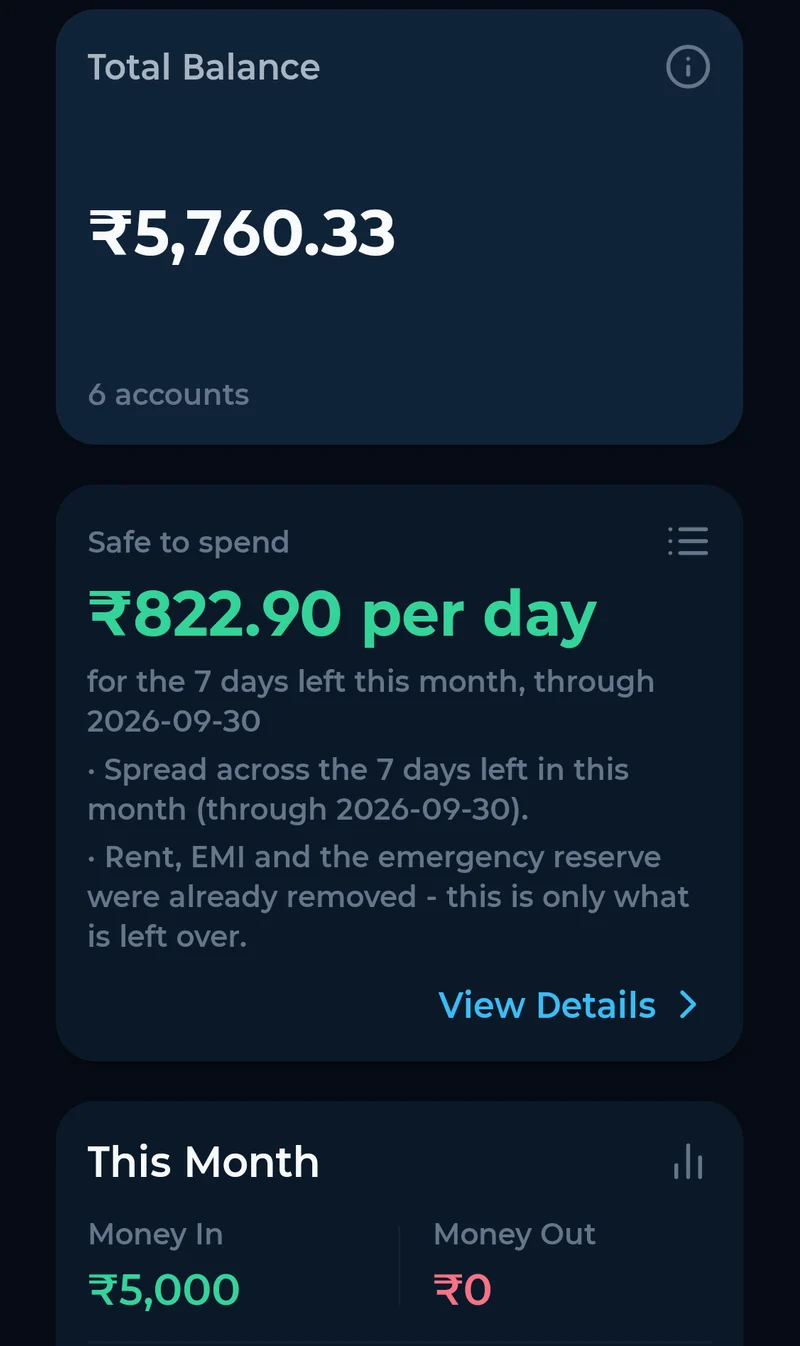
- You confirm everything
- The AI reads and explains. Nothing enters your records unless you tap confirm.
- Exact to the paisa
- No rounding, ever. Totals always add up.
- Works offline
- Add entries without a signal; they sync when you are back online.
The rest of your money, on the same record.
Every screen reads from one ledger, so the numbers on your budget, your home screen and your statement always agree.
Expenses and income
Add an entry in seconds, across cash, bank and card accounts.
Bills that remind you
Rent, electricity, insurance, EMIs, vehicle tax and more - reminded before they are due, not after.
Safe to spend
What you can spend each day for the rest of the month, after bills and commitments are set aside.
Budgets
Set limits by category and see the room left while the month is still running.
Goals
Name what you are saving for and track the distance left.
Net worth and investments
Hold investments alongside everything else, so your net worth is one number.
Monthly statements
Export any month as Excel or PDF, laid out like a bank statement - made on your phone.
An AI assistant for your own money
Ask in plain words - English or Hinglish - and get answers from your own records.
The app as it is today.
Real screens from the current beta, not mock-ups. The design will keep improving before public launch.
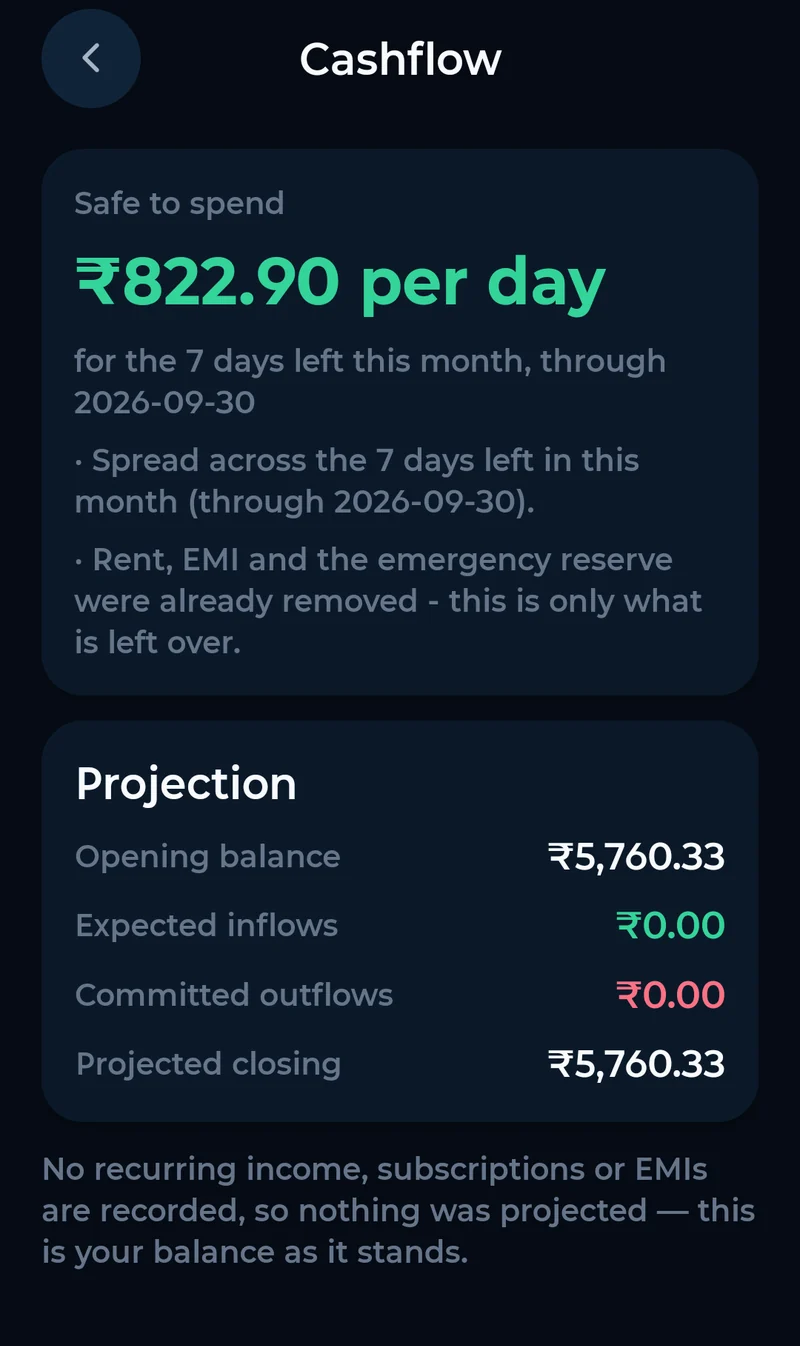
Cash flow 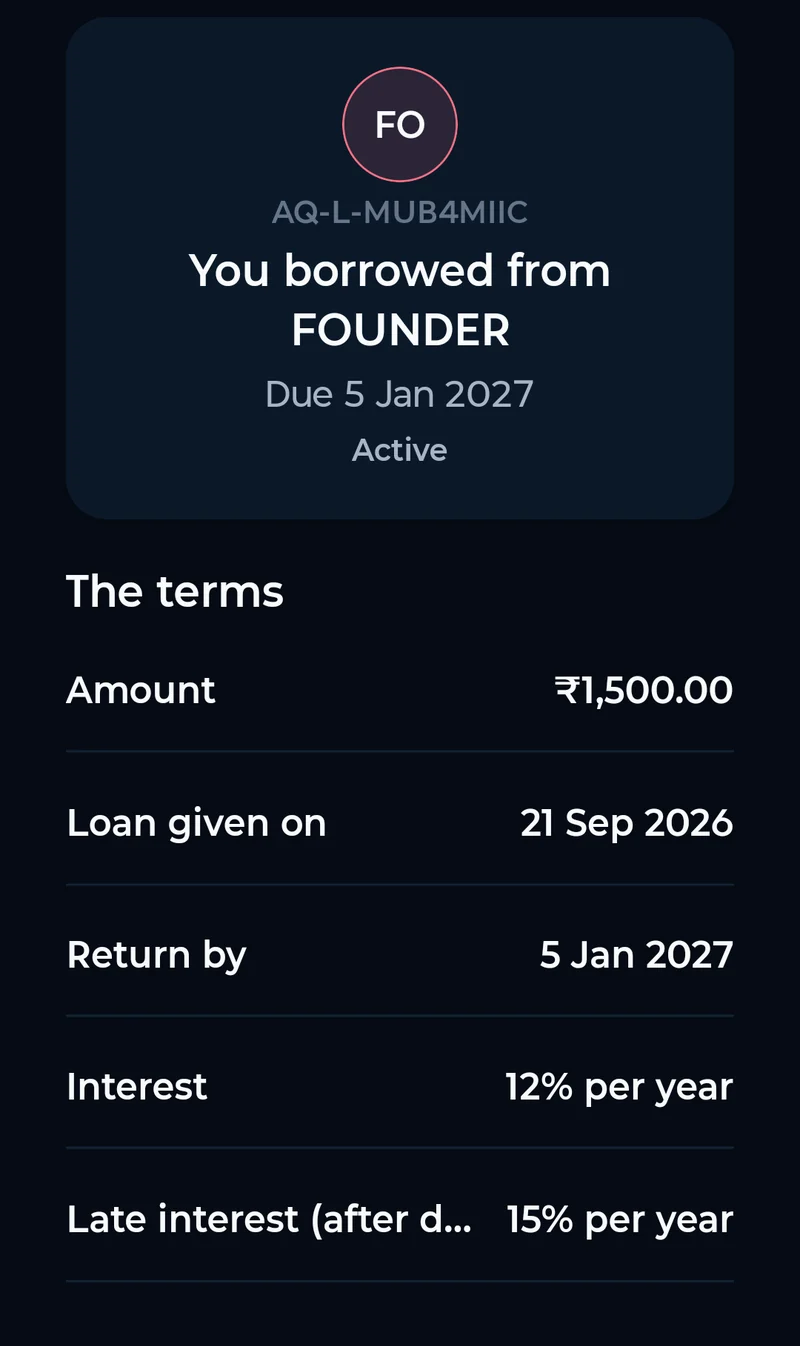
Loan agreement 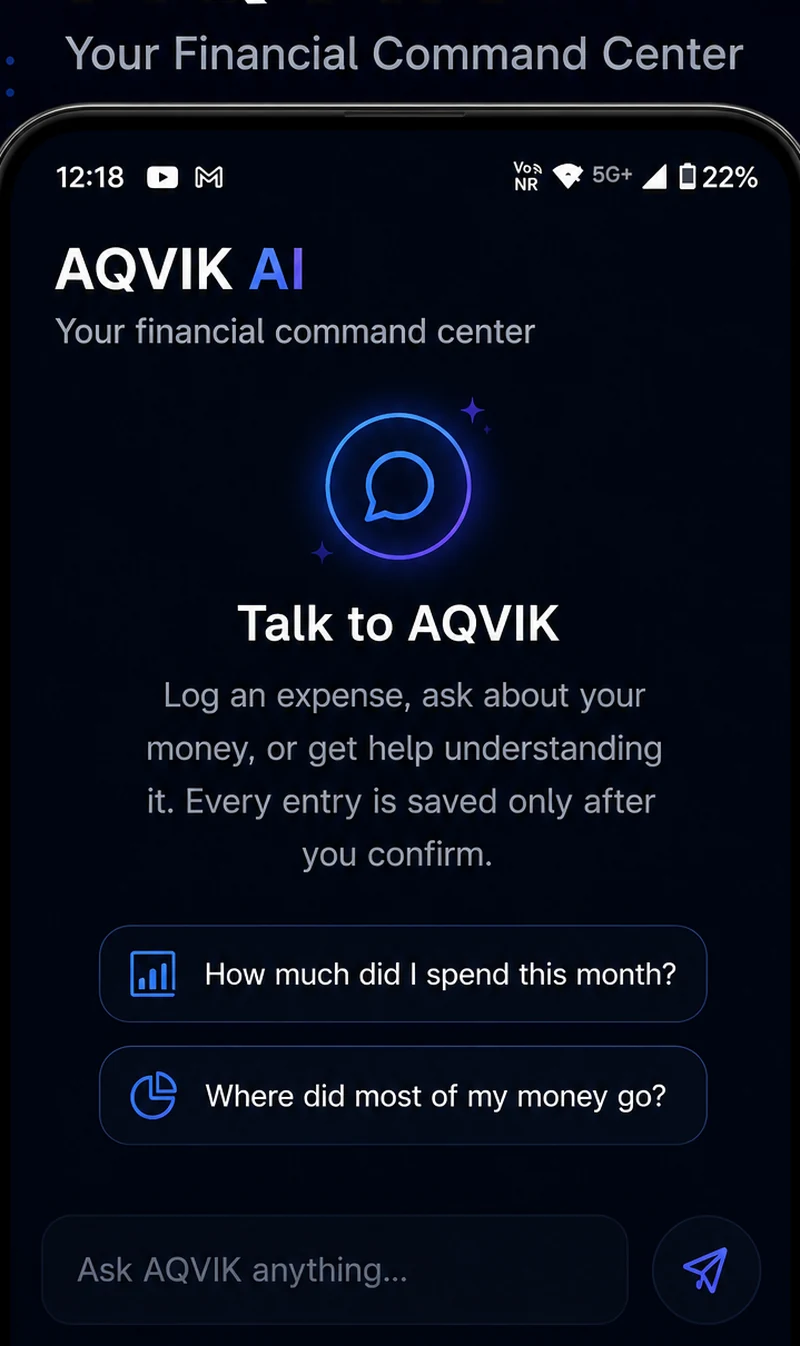
AI Assistant 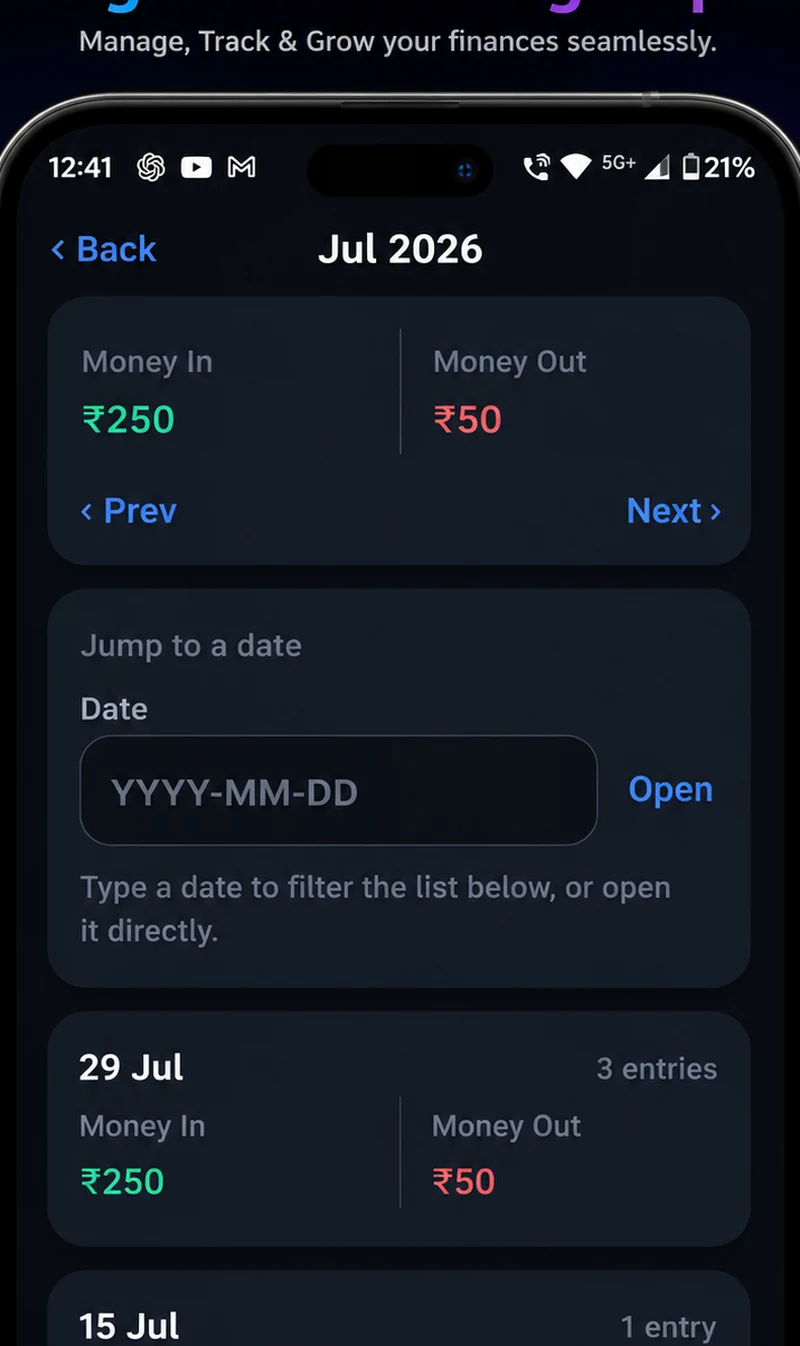
Monthly Summary 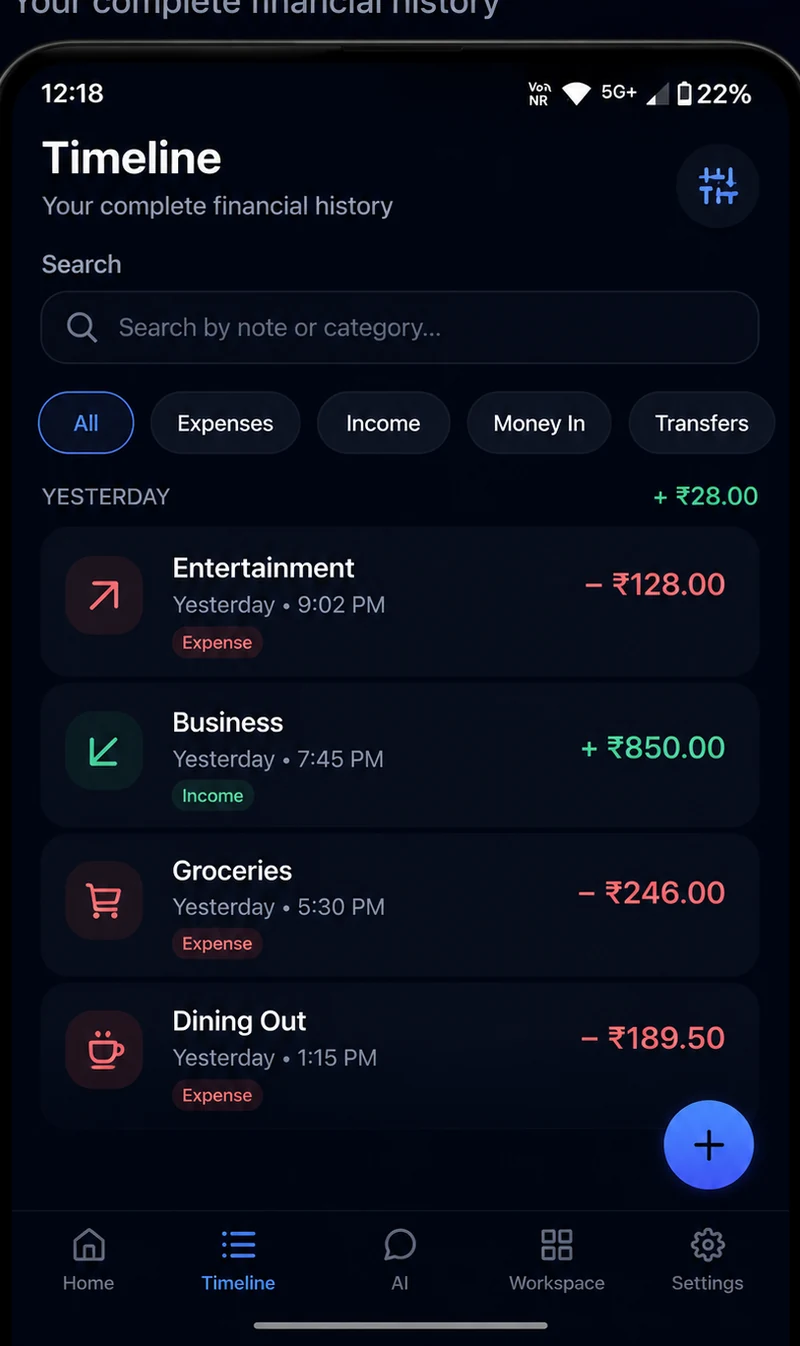
Timeline 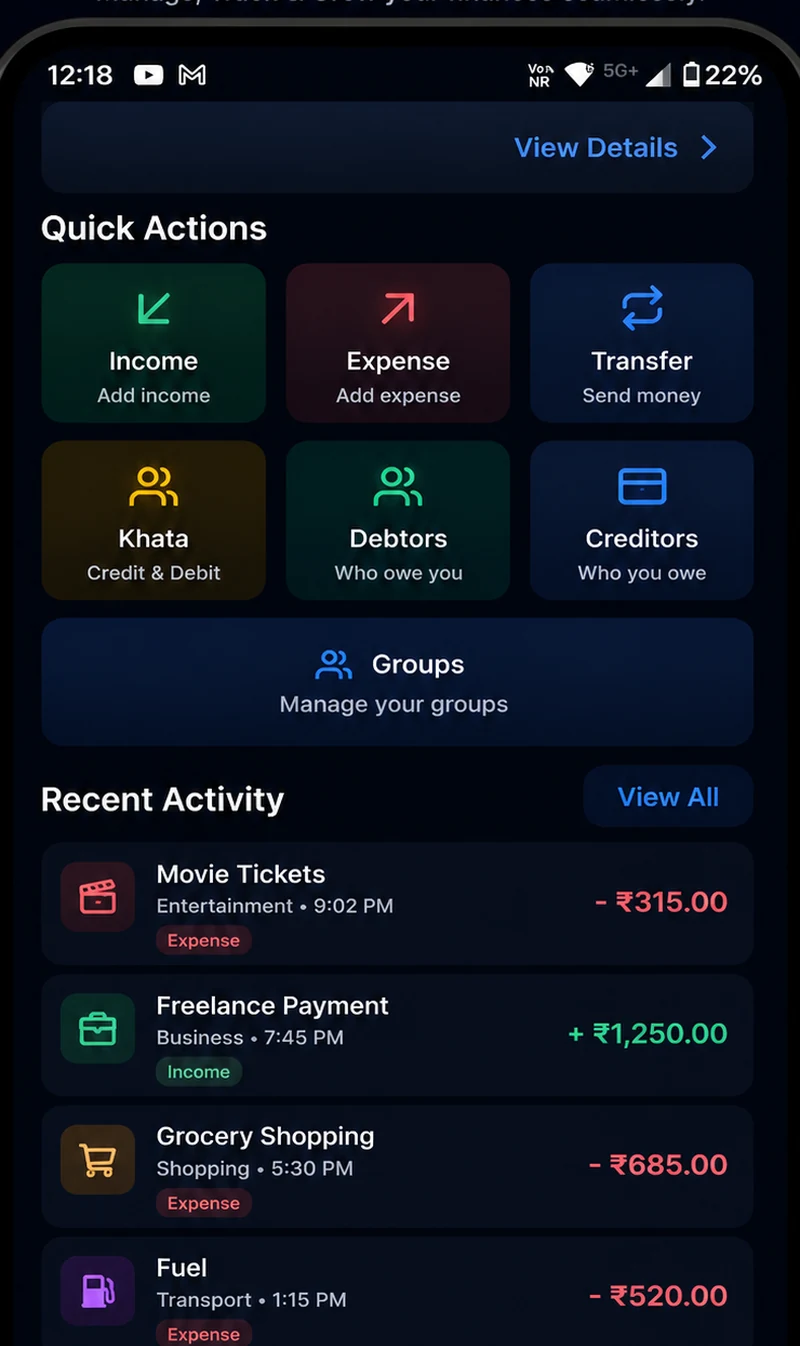
Quick Actions
Built to be trusted with money.
These are how the app works, not badges. Each one is enforced in the code and tested.
You stay in control
The AI assistant reads and explains your records. During the beta it cannot add, change or delete anything; every entry is made or confirmed by you.
Your data is not for sale
No ads, no selling data, no sharing with advertisers. Your records are not used to train AI models.
Your account, your devices
Every signed-in device is listed in your account. Removing one signs it out immediately, and changing your password signs out every device.
Protected in transit
All traffic is encrypted. Server data is protected by our hosting provider’s encryption and access controls.
Leave any time
Export your records whenever you like. Delete your account from the app, and it happens straight away.
What is built, and what comes next.
No dates until they are commitments. Here is where things actually stand.
BuiltAvailable in the beta
- Shared ledger, loan agreements and group expenses
- Expenses, income, transfers and multiple accounts
- Bills and subscriptions with reminders
- Budgets and goals
- Safe-to-spend and cash-flow view
- Net worth and investment tracking
- AI assistant that reads and explains your records
- Monthly statements as Excel or PDF
- Offline-first sync and notifications
Next
- Attach receipts and documents to entries and bills
- Let the assistant record entries for you - still only after you confirm
- What-if planning: see how a decision changes your month
- iPhone app
Join the closed beta.
AQVIK is being tested by a small group on Android. Testers get every new build first, and a direct line to the person building it.
- 1
Ask to join
Send us the Google account you use on your phone, using the form below or WhatsApp.
- 2
Accept the invite
Once you are added, open the Google Play link and accept the testing invitation.
- 3
Install
Install AQVIK from Google Play. New builds arrive as normal updates.
Built by a person you can reach.
I built AQVIK because keeping track of money — your own, and the money between you and the people around you — shouldn't depend on memory, screenshots or guesswork.
AQVIK is built in India by Prakash Raj. If something is wrong, confusing or missing, write to support@aqvik.com — it comes to me.
Straight answers.
Is AQVIK available now?
Yes, as a closed beta on Android. Request access in the section above; once your Google account is added, you install it from Google Play.
Does AQVIK connect to my bank account?
No. You add entries yourself, or with help from the assistant. AQVIK never asks for your bank login, card PIN, UPI PIN or OTP.
Does the other person need AQVIK for shared records?
Yes. A shared ledger or group needs both people on AQVIK. You can send them the app from Settings, under Share AQVIK.
Does AQVIK move or hold money?
No. AQVIK is a record-keeping app. It never holds, sends or collects money, and it is not a lender or payment service.
What does the AI assistant do?
It answers questions about your own records - what you spent, what is due, how the month is going - and explains how it got there. During the beta it cannot change your records.
Who can see my data?
You. When you share a ledger or a group, the people in it see that shared record. Service providers that run AQVIK for us process data only to do that; they are listed in the Privacy Policy. We do not sell data or show ads.
Will AQVIK stay free?
It is free during the beta. If we add paid features later, the price will be published first and you will choose whether to pay.
Is this financial advice?
No. AQVIK helps you see your money clearly. For advice about your specific situation, talk to a qualified professional.
Can I delete my data?
Yes. Export your records any time from Settings, and delete your account from the app. The Delete Account page explains exactly what is removed.
Keep the money between friends friendly.
Join the beta and try it with the person you split things with most.
Join the beta